DropPoint Integration
Procnote can use DropPoint to receive attachment files from another device, such as a phone, through a QR-code upload flow.
What DropPoint Is
DropPoint is a temporary encrypted file handoff relay. Procnote creates a short-lived reusable session, shows a QR code, and imports successive encrypted submissions as local attachments for the same execution, step, and input.
DropPoint is not built into Procnote and is not a permanent storage service. You need to set up and operate your own DropPoint instance before enabling this integration. The DropPoint relay stores ciphertext only; Procnote decrypts the upload locally and then stores the plaintext files in the execution's attachment directory.
For DropPoint setup and deployment details, see the DropPoint repository:
https://github.com/shunichironomura/drop-point
Configure a DropPoint Instance
Follow the DropPoint documentation to deploy a reachable DropPoint server and generate an API token. At minimum, your DropPoint instance needs:
- the reusable-session API with child submission listing, pickup, and acknowledgement (older one-shot servers are not supported);
- an externally visible
base_urlfor sender browsers; - an API token configured on the DropPoint server;
- HTTPS for non-local deployments, so browser encryption APIs are available;
- request body limits and upload timeouts large enough for the files you expect users to upload.
For local development, DropPoint can run on http://localhost. Procnote rejects non-HTTPS DropPoint URLs except loopback HTTP URLs.
Enable DropPoint in Procnote
Set these environment variables before starting Procnote:
| Variable | Required | Description |
|---|---|---|
PROCNOTE_DROPPOINT_URL |
Yes | Root origin of your DropPoint instance, for example https://drop.example.com. Must not include a path prefix, query, fragment, or user info. |
PROCNOTE_DROPPOINT_API_TOKEN |
Yes | Plaintext DropPoint API token used by Procnote to create receiver-side drop points. |
PROCNOTE_DROPPOINT_TTL_SECONDS |
No | Requested lifetime, in seconds, for each upload session. Must be a positive integer. |
PROCNOTE_DROPPOINT_MAX_BYTES |
No | Requested maximum encrypted upload size, in bytes. Must be a positive integer and within the server's configured limit. |
Example:
PROCNOTE_DROPPOINT_URL=https://drop.example.com \
PROCNOTE_DROPPOINT_API_TOKEN='your-drop-point-token' \
PROCNOTE_DROPPOINT_TTL_SECONDS=600 \
PROCNOTE_DROPPOINT_MAX_BYTES=52428800 \
procnote /path/to/my-workspace
Both required variables must be set to create new DropPoint sessions. If only one is set, Procnote disables new session creation and logs a configuration warning. A previously persisted receiver session can still resume pickup or close from its owner-only private state without retaining the API creation token.
Use DropPoint During an Execution
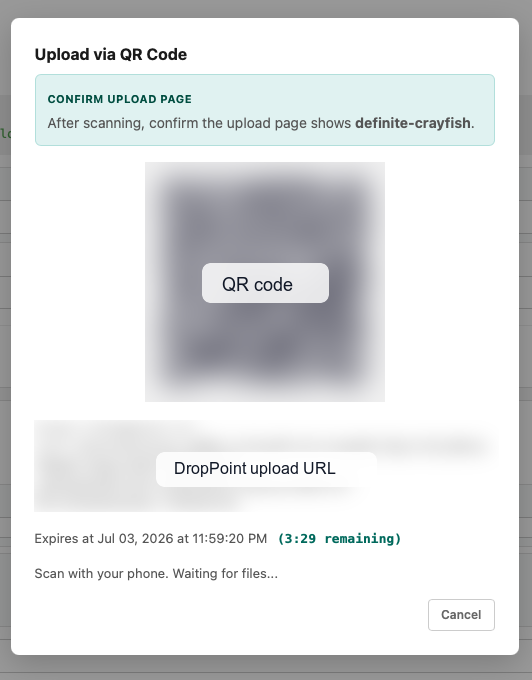
When DropPoint is configured, attachment inputs show an Upload via QR Code button.
- Click Upload via QR Code on an attachment input.
- Ask the sender to scan the QR code with their device.
- Confirm that the sender's upload page shows the same human-readable drop name shown in Procnote.
- Wait while the sender selects and uploads files.
- Procnote authenticates each complete encrypted bundle, installs its files atomically, durably records them in the execution log, and only then acknowledges that submission so the relay can delete its ciphertext.
- Keep the dialog open. The sender can periodically send more files from the same page without scanning another QR code. Pending count and byte limits on the relay bound its queue.
- Choose Stop receiving when finished, or let the session expire. Stopping closes the parent and discards any remaining remote submissions; already imported attachments remain local.
If pickup, installation, execution-log recording, acknowledgement, or close fails, Procnote retains resumable private state. Use Retry receiving (or reopen the same attachment upload after restarting Procnote) to continue without duplicating attachments. A failed stop remains pending and is retried on resume. Navigating away pauses polling; it does not close the session. Remote ciphertext is recoverable only until acknowledgement, parent close, or expiry.
Recovered files are published together beneath the execution's attachments/bundle-dp_…-sub_…/ directory. Each submission has an owner-only .droppoint-receipt.json binding its parent, submission ID, and bundle identity for crash recovery and conflict detection. The receipt is not an attachment. Procnote never overwrites a different bundle, and acknowledges only after both files and attachment events are durable.
This unreleased integration uses private-state version 2; legacy one-shot private sessions are not resumed by the new model. Finish old sessions before upgrading. Existing execution event logs and imported attachments are unchanged.
Pickup capabilities and recipient private keys are stored atomically with owner-only access in the operating system's application-local data directory, outside the git-friendly procedure workspace. Procnote removes those secrets from private state only after remote close succeeds or a terminal remote outcome has been durably recorded.